

Everyday work
Today's work
How Today's work lists security incidents, vulnerabilities, outages, expiring certificates and updates, and how to filter, snooze, dismiss or fix them.
Applies to: All plans
The dashboard opens on Today's work: everything that needs doing across your sites, in the same categories as your alert emails. The list is live, so an item leaves it as soon as the problem is fixed. Your alert settings only decide what gets emailed; they never hide anything here.
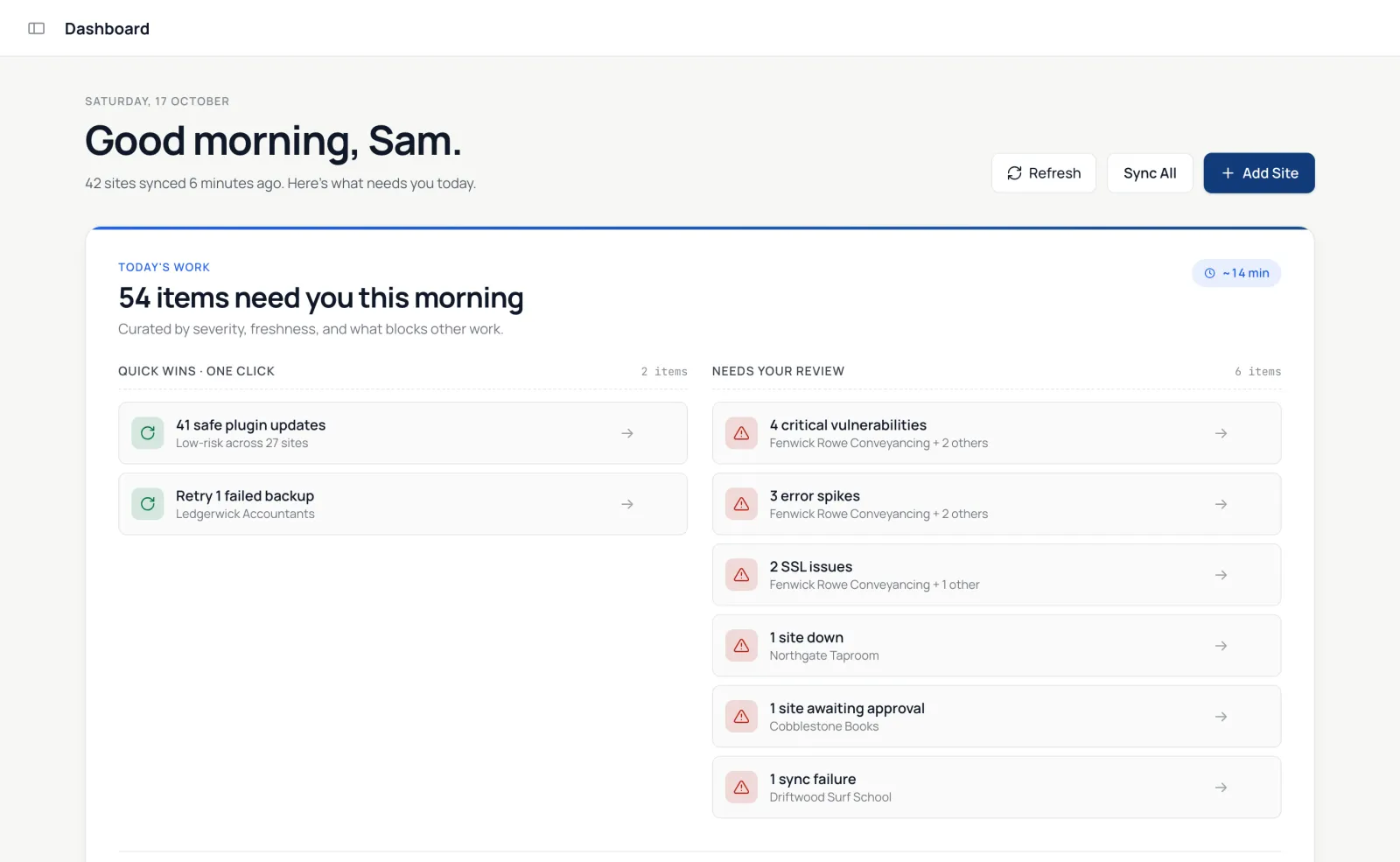
Quick wins
At the top, Quick wins are one-click batches: for example, safe plugin updates or failed backups to retry. Hide one for the day with its ×.
Categories
- Security: new administrators, wp-config.php changes, PHP files no plugin accounts for in uploads, unknown code in the plugins directory, and another copy of a site reporting as it (answer with Same site, another domain or Disconnect this copy; a host's staging environment is listed on the site's Security tab instead).
- Vulnerabilities, with Fix available for the ones an update fixes.
- Uptime: sites that are down.
- SSL & domain: certificates and domain registrations close to expiry.
- Performance: sites whose last three Core Web Vitals checks failed.
- Updates, Backups, File integrity and Other (failed syncs, sites waiting for approval or setup, cron problems).
A category with nothing in it is hidden.
Filters and grouping
Filter by Client (including No client), Site, Severity and Age, and group By issue, By site or By client. The category and filters are part of the page address, so you can bookmark a view such as one client's security items.
Select items to Update selected, Snooze them until tomorrow morning, or Dismiss them. A dismissed item comes back if the problem changes. Dismissing a security item also stops its alert emails.
On the free plan, Update selected opens the update picker so you can choose a Quick mode.
Archived items
Items nobody acted on are archived after 7 days. Change that under your profile's Attention Queue settings: 7, 30 or 90 days, or Never — keep them on the list until I act.