

Backups
Backup settings
Schedule backups of a site's database and files, choose EU or US storage and the time window, exclude files, and see how long backups are kept.
Applies to: Paid plans
Scheduled backups copy a site's database and every file to storage in the EU or the US. They are part of the paid plans; on the free plan the Backups tab explains them and links to the plans.
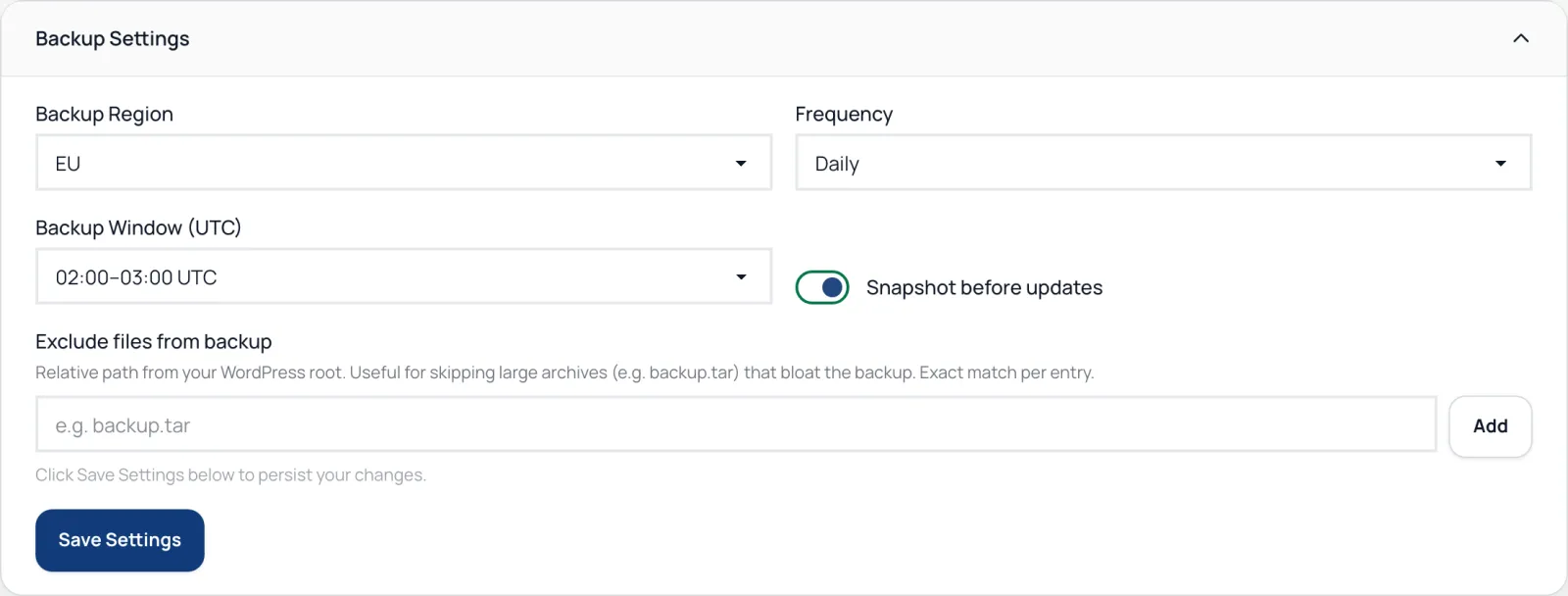
Schedule backups
- Open the site and go to Backups.
- Open Backup Settings.
- Choose the Backup Region: EU (Hetzner in Germany, with automatic failover) or US (Backblaze B2).
- Set the Frequency: Daily, Weekly with a Day of Week, Monthly with a Day of Month, or Disabled.
- Pick a Backup Window (UTC). Each backup starts at a random moment in that hour, so a whole fleet doesn't upload at once.
- Click Save Settings.
Backup Now starts one straight away.
If the EU storage cannot be reached when a backup starts, that backup is stored in a standby EU bucket instead, and its download comes from there even after the main storage is back. US backups have no standby.
What is backed up
The database and every file under the WordPress folder, except caches, node_modules, version-control folders and other backup plugins' archives. To leave out something else, add its path under Exclude files from backup, one exact path per entry, relative to the WordPress folder, then save.
Each backup is checked after it finishes: the database dump and every stored file must match the checksums the plugin reported.
How long backups are kept
You don't need to set this:
- daily backups are kept for 30 days;
- a Sunday backup is kept for 70 days;
- a backup taken on the 1st of the month is kept for 180 days.
Snapshot before updates
Snapshot before updates takes a database snapshot before each safe update, so a rollback can put the database back. It is the same setting as Require backup before update in the auto-update rules.
Product overview: Backups