

Bulk updates
Bulk update WordPress plugins across every site, safely
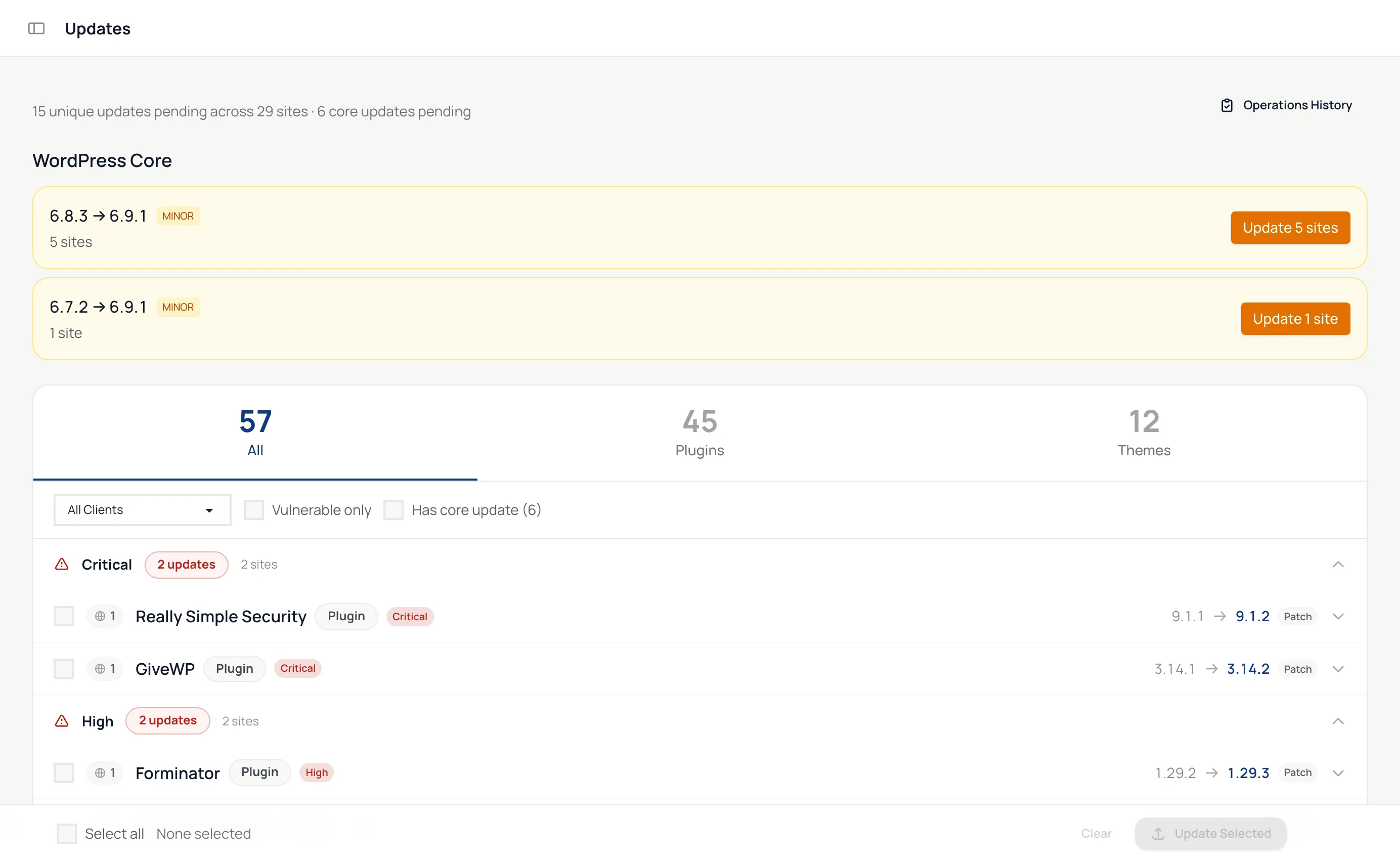
Three ways to run an update
You choose how careful to be each time. The Updates page lists security fixes first.
-
Quick
Runs the update with no snapshot and no checks. For patches you trust, when speed matters. On every plan.
-
Quick + visual check
Takes screenshots before and after so you see what changed. No snapshot, so nothing rolls back on its own. On every plan.
-
Safe
Snapshot, update, check, compare screenshots, roll back if a page broke. WordPress core updates always run this way. On paid plans.
What a safe update does
Safe updates come with the paid plans. Each one runs six steps, recorded on the update's activity page so you can see what happened and when.
-
1
Screenshot your pages
The homepage by default, or the paths you list for each site, such as /shop and /checkout. Sliders and banners can be ignored.
-
2
Take a snapshot
One database snapshot for the whole batch, plus a copy of each plugin and theme before it changes.
-
3
Run the update
Through WordPress's own updater, the same code wp-admin uses. Plugin and theme updates run on up to eight sites at a time.
-
4
Check the site
The update fails if the site returns a server error, if PHP errors spike, or if the new version did not actually install.
-
5
Compare the screenshots
More than 5% of a page's pixels changing counts as a visual regression.
-
6
Keep it or roll it back
Automatically if you chose auto-rollback. Otherwise you get 60 minutes to decide, then it rolls back on its own. With auto-rollback, an update to a new major WordPress version is never rolled back on its own: it waits for you.

Know the risk before you click
-
Read the changelog first
Before an update starts, the confirmation screen shows each one's changelog, or the release notes for WordPress core.
-
An AI risk note
On paid plans, an AI risk note for each plugin and WordPress core update reads the changelog against the site's PHP and WordPress versions, rates the risk from low to critical and lists any breaking changes.
-
Every site that needs it
Each update lists the sites it affects. Filter by client, by vulnerable plugins, or by sites with a WordPress core update waiting.
-
Core updates handled with care
On paid plans, WordPress core updates always run as safe updates, and a major version asks you to confirm before it starts.
Let low-risk updates run on their own
Auto-update rules, set per site on paid plans, apply updates without you while keeping the same safety net.
-
Wait a set time after a release before updating, so early problems surface elsewhere first.
-
Hold an update until 95% or 99% of other sites managed with WP Admin Online have applied it successfully.
-
Run inside your maintenance window, take a database backup first and roll back if the update fails.
Which plan you need
-
Free
Unlimited sites
-
Starter
$19 a month
Up to 10 sites
-
Growth
$49 a month
Up to 25 sites
-
Pro
$79 a month
Up to 150 sites
Questions
Is it safe to bulk update WordPress plugins?
As safe as the checks around it. A safe update snapshots each site, checks that it still loads without server errors or a spike in PHP errors, compares screenshots of your pages and rolls back on its own when something breaks. Security fixes are listed first so you can apply them before anything else.
What happens if an update breaks a page?
If more than 5% of a page's pixels change, the update counts as a visual regression. With auto-rollback ticked, the previous version comes back straight away. Without it, you have 60 minutes to keep or roll back the update, and after that it is rolled back automatically. The exception: with auto-rollback ticked, an update to a new major WordPress version, such as 6.9 to 7.0, is never rolled back on its own and waits for you instead. A rollback also restores the database snapshot taken before the batch.
Which pages are compared?
The homepage, unless you list more. Each site has its own list of paths to screenshot, such as /shop or /checkout, and CSS selectors for parts of the page to ignore, like a slider or a cookie banner.
Does it update WordPress core too?
Yes, on paid plans. Core updates are grouped by version jump and always run as safe updates. A major version asks you to confirm first, because rolling back across a major version is riskier. On the free plan the Updates page still shows which sites need a core update, and you run it from the site's wp-admin.
How much does it cost?
The free plan runs bulk plugin and theme updates in Quick and Quick + visual check mode, for unlimited sites. Safe updates with snapshots and rollback, WordPress core updates, auto-update rules and AI risk notes come with the paid plans, from $19 a month for up to 10 sites.
Step-by-step guides: Running updates · Safe updates and rollback