

Monitoring
Performance (Core Web Vitals)
How Core Web Vitals are measured for each site's homepage on mobile and desktop, how often, what the thresholds mean and how to export the history.
Applies to: All plans
WP Admin Online measures each site's homepage with Google PageSpeed Insights, on mobile and on desktop, every six hours. It works on every plan.
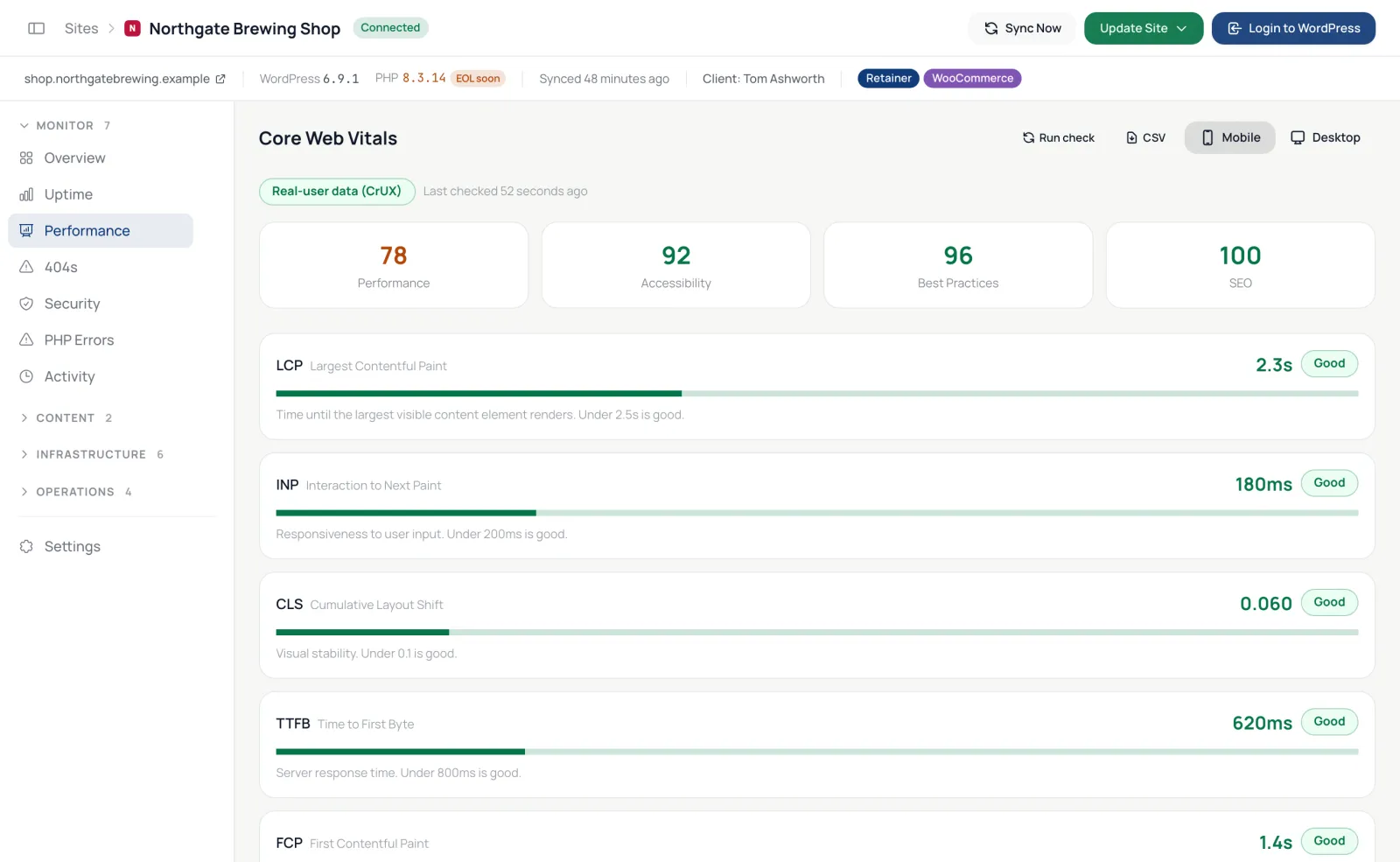
What is measured
- LCP (Largest Contentful Paint): good under 2.5 s.
- INP (Interaction to Next Paint): good under 200 ms.
- CLS (Cumulative Layout Shift): good under 0.1.
- TTFB (Time to First Byte): good under 800 ms.
- FCP (First Contentful Paint): good under 1.8 s.
It also keeps the four Lighthouse scores: performance, accessibility, best practices and SEO.
When Google has enough visits to the page, the figures are Real-user data (CrUX) from Chrome users. Otherwise they are Lab data (Lighthouse) from a single test run. The tab says which.
Read the tab
Switch between Mobile and Desktop. LCP Trend (last 30 checks) shows whether the page is getting faster or slower. Run check measures it now, once every five minutes, and the history exports as CSV.
What it does not do
Only the homepage is measured. When its mobile LCP, INP or CLS turns poor, in Google's poor range for two checks in a row, you get a Core Web Vitals poor alert, sent the way you choose in the Alerts Centre. You hear once per slowdown: a metric has to leave the poor range for two checks in a row before it can alert again. INP comes from Google's field data, so it only alerts for sites with enough visitors to have it. Core Web Vitals appear in client and site reports.