

Troubleshooting
A backup failed
What a failed backup looks like, which errors are retried on their own, the emails you receive, and what to check before running the backup again.
Applies to: Paid plans
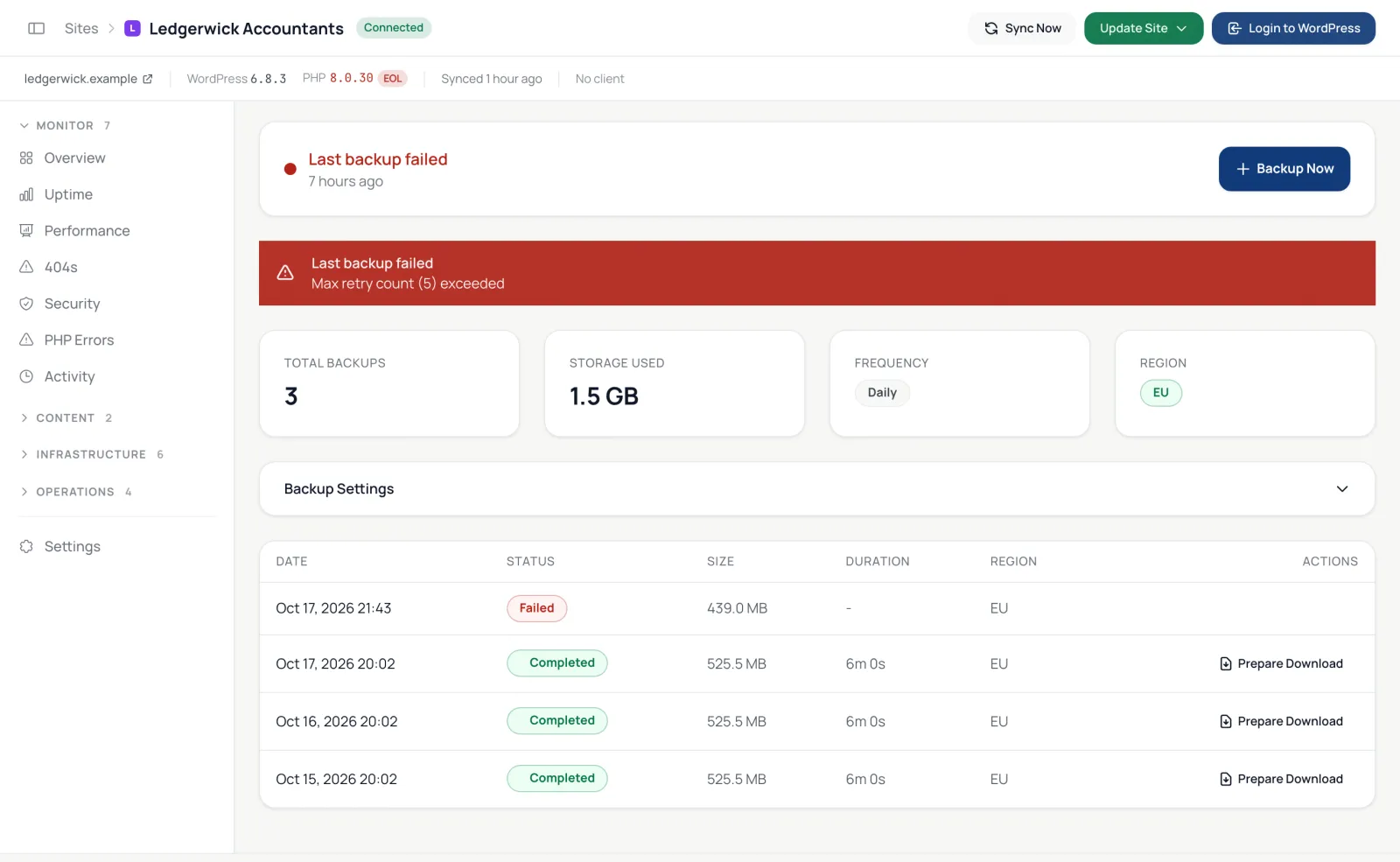
When a backup fails, the site's Backups tab shows Last backup failed with the error and Today's work lists the site. You also get an email, Backup Failed, naming the site and the reason, and a Backup Recovered email after the next success. That includes a backup stopped because the plugin is too old, because backup storage was unavailable, or because it did not start or finish in time (see below). Backups are part of the paid plans; on the free plan no backups run, so none can fail.
What is retried on its own
A backup is retried up to 5 times in a row, waiting a little longer each time (up to five minutes), when the failure looks temporary:
- the host or Cloudflare answers 408, 429, 502, 503, 504 or 520 to 524;
- the connection times out, resets or stops part-way;
- the storage provider has a temporary error;
- a file changes size while it is being copied.
A retry that copies more files before it fails starts the count again, so a backup that keeps getting further through a slow patch is not stopped for it.
A long backup moves to a fresh worker after 90 minutes of copying files, or 60 minutes of verifying them, without counting as a retry. If the worker running a backup disappears without a trace (the server or the database restarted under it), the backup is handed to a fresh worker, usually within 25 minutes, and carries on from the files it had already copied; that counts as one of the 5 retries. A worker that runs out of time or memory fails the backup instead, and the email says so; after running out of memory that can take up to two hours to show.
A backup that has not started after 2 hours is marked failed. So is one that is still scanning the site after 6 hours, and any backup still running after 12 hours. For a backup that had started, the email also says when it last made progress.
What is tried again later
A scheduled backup that failed for a temporary reason is started again on its own. That covers the errors above, a storage error, a backup that ran out of time, and one whose stored files did not pass verification. It is tried again an hour or more after the failure, up to 2 more times that day, and not while backup storage is slow or unreachable. On a weekly or monthly schedule, a backup that still has not succeeded is also tried once a day, at the site's backup hour, for the next 7 days. After 10 scheduled backups in a row have failed, only the scheduled runs continue until one succeeds.
Each failed attempt sends its own Backup Failed email, and the first one that succeeds sends Backup Recovered. A backup you started with Backup Now is not tried again. Neither is one that failed for a reason only you can fix, such as an outdated plugin or a firewall that blocks the dashboard.
Common errors
| Error | What to do |
|---|---|
| Plugin version too old for backups (requires 2.0.0+) | Update RS Remote Site Manager on the site. |
| One of the temporary errors above, after 5 retries | It kept happening. Check the host's error log and resource limits, then click Backup Now. Older backups show Max retry count (5) exceeded instead. |
| A timeout or a 5xx error | The site ran out of time or memory while packing files. Leave out large folders you don't need (old archives, cache folders) under Exclude files from backup, then try again. |
Before you run it again
- Make sure the site is up and syncing; see Sync failed.
- Look for very large folders you don't need in the backup and exclude them.
- Click Backup Now and watch the status move through Scanning, Backing Up Files, Backing Up Database and Verifying to Completed.
Failed-backup emails go to the account owner only; they are not one of the Alerts Centre's categories.