

Monitoring
SSL and domain expiry
How WP Admin Online reads SSL certificates and domain registrations, where the expiry dates show, and when the expiry alerts go out by email or Slack.
Applies to: All plans
WP Admin Online reads each site's SSL certificate every day and its domain registration every week, shows both expiry dates and warns you before either runs out. It works on every plan.
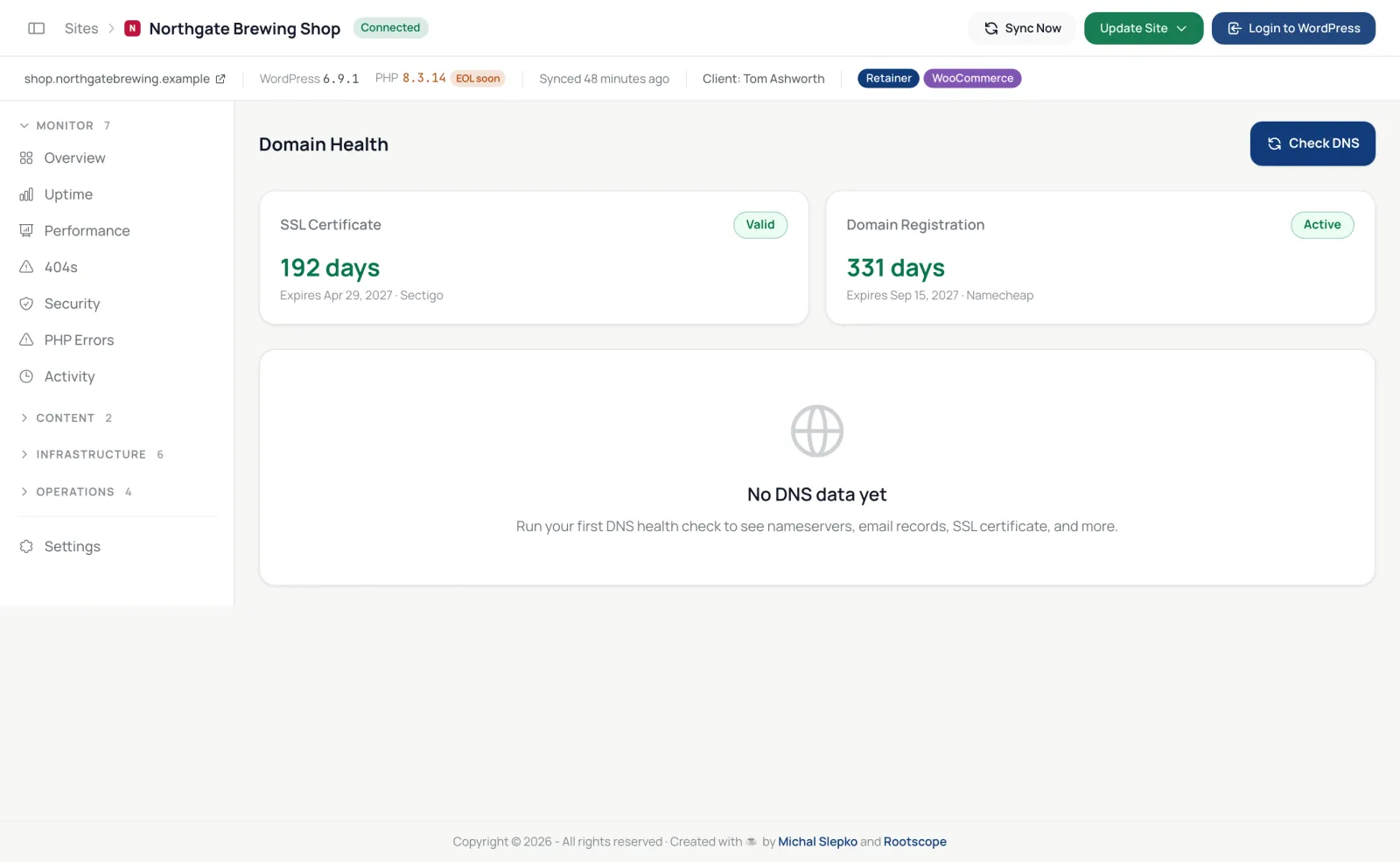
Where to see the dates
- The site's Domain tab, in the SSL Certificate card (status, days left, expiry date and issuer) and the Domain Registration card.
- The Domain & SSL card on the site's Overview.
- The sites list, filtered by SSL expiring soon.
- Today's work, which lists certificates and domains about to expire.
How they are checked
SSL certificates: every day at 05:00 UTC, the dashboard connects to the site and reads its certificate, with full validation.
Domains: every Monday at 05:30 UTC, the dashboard asks the domain's registry over WHOIS. If the registry does not answer, the card says Could not determine expiry.
Both are also refreshed on every sync.
When you hear about it
| What | When |
|---|---|
| SSL certificate | 30, 14, 7 and 2 days before expiry, once each, and once more when it expires; the steps start again after a renewal |
| Domain | Every Monday from 30 days before expiry |
These alerts are SSL certificate expiring and Domain expiring in the Alerts Centre. Both are on by default, by email, one email per event; you can add Slack, group them into a digest or switch them off.
If a check fails
If the certificate cannot be read (the site is down, or the certificate does not match the address), the card shows Error and no expiry alert is sent. An expired certificate is still read: the card shows Expired and you get one alert.